CampBuddy WordCamp companion
Your WordCamp buddy, in your pocket
A free companion app for WordCamp attendees. Plan your day, meet people and find your way around, right in your phone’s browser.
- Free
- No sign-up
- Works offline

On a laptop? Scan with your phone’s camera to open CampBuddy where you’ll use it.
Opening Remarks · now
Saved session in 5 min
3 people want to meet you
Why CampBuddy
Your first WordCamp can feel like a lot
You walk in and don’t know anyone. Most event apps only give you a schedule. CampBuddy helps with the rest: what to do next, who to meet and how to make the most of the day.
I don’t know anyone here.
CampBuddy People shows who wants to meet and what they’re into. Say hi to one of them.
Contributor Day? Hallway track? What does that even mean?
CampBuddy The first-timer guide explains every word you’ll hear, and what to bring.
Where should I be right now?
CampBuddy Home shows what’s on now and what’s next, and your saved sessions remind you.
What you get
Everything for the day, in one place
Your WordCamp’s own name and logo appear inside, so it feels like part of the event.
Home
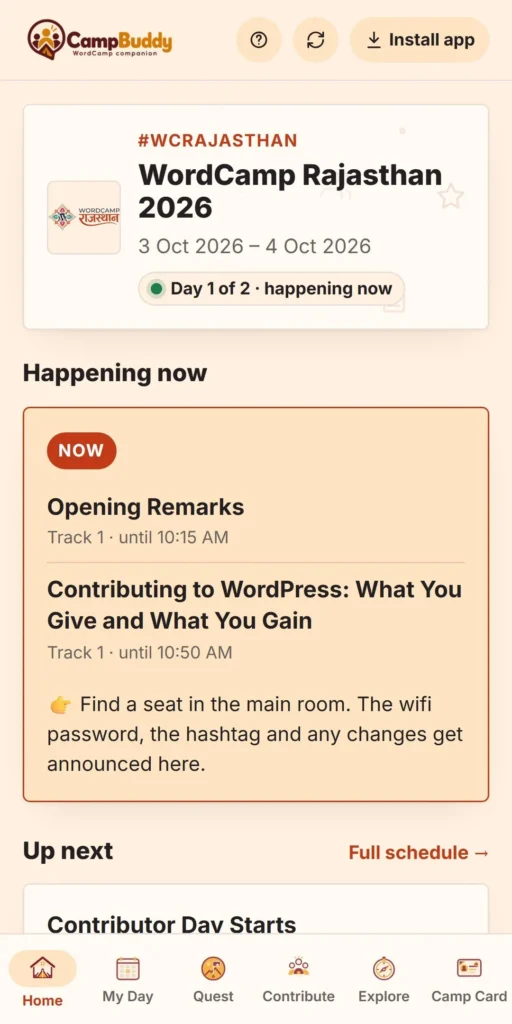
See what’s happening right now at your WordCamp and what to do next.

My Day
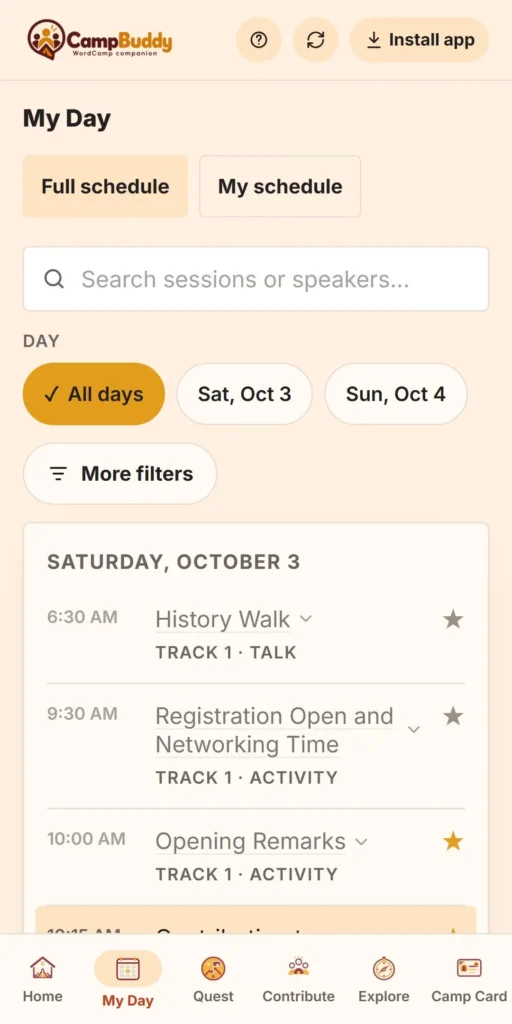
The full schedule by day and track. Save sessions and get a reminder a few minutes before they start.

Quest
Small, doable things to try, like saying hi to someone from another city, plus a “before you go” checklist.

People
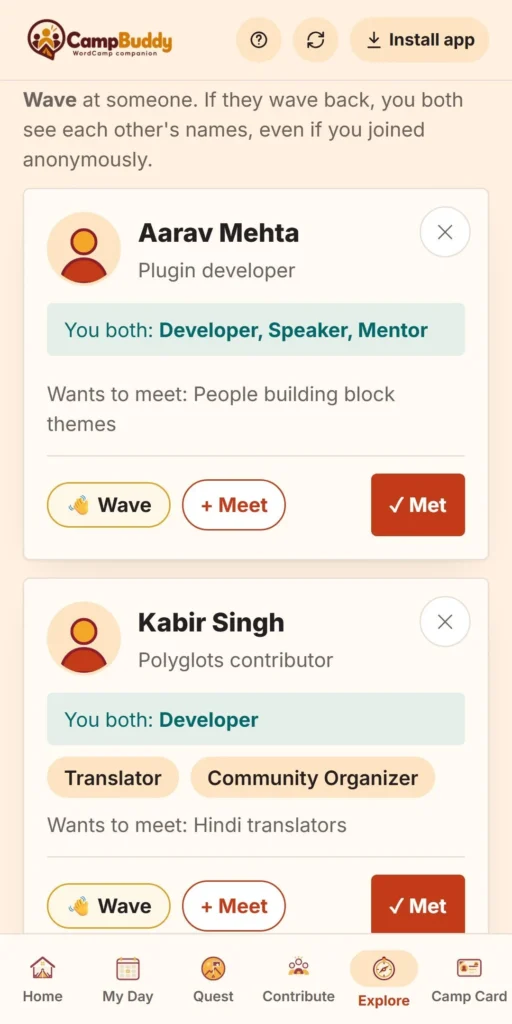
Find attendees who share your interests, wave at them, plan who to meet and note who you met.
Camp Card
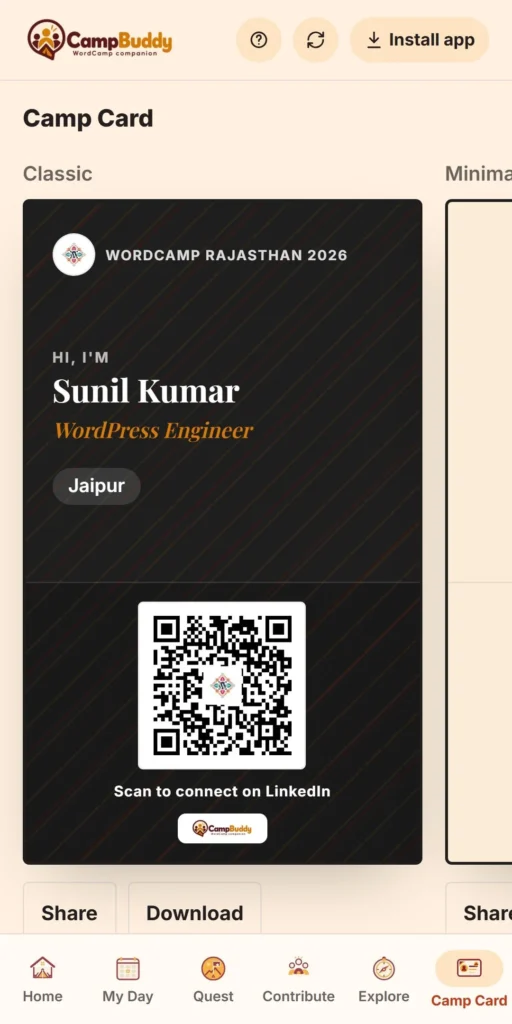
A digital ID card with your name, role and a QR code to your LinkedIn or website. Share it or download it in print quality.
Contribute
Answer a few questions and find WordPress contributor teams you’d enjoy, like Polyglots, Design, Photography or Training.

Explore
Sponsors, attendee deals, hand-picked free plugins and tools, and event info like the venue, Wi-Fi and code of conduct.
Save your WordCamp
After the event, export your day as a PDF: sessions, people you met with your notes, quests and your Camp Card.
See it on your phone
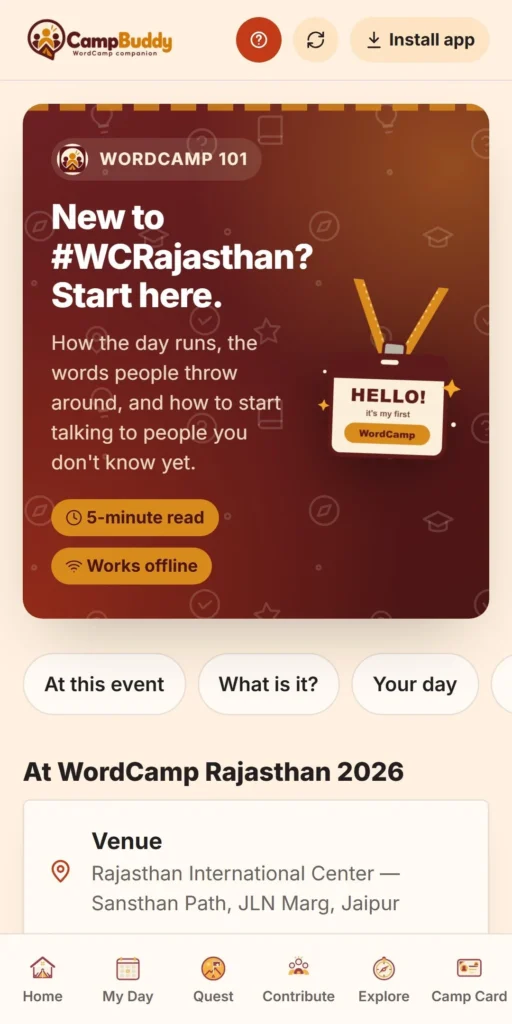
New to WordCamp? Start here
Take a quick tour: start with the first-timer guide, then plan your day, find your people and keep your Camp Card handy.
How it works
Ready in three steps
- Open campbuddy.club Use your phone’s browser. Add it to your home screen if you like.
- Pick your WordCamp The home page shows WordCamps in your country first.
- Enjoy the day Plan your day, do the quest, meet people and keep your Camp Card handy.
Why people like it
Simple, private and made for the venue
- No account, ever. What you type stays on your phone unless you choose to share it.
- Works on weak venue Wi-Fi. Once you’ve opened your event, it keeps working offline.
- Feels like your event’s own app. Each WordCamp’s name and logo appear inside.
- Free. Built by a WordPress community member, for the community.

Used live
WordCamp Rajasthan 2026 (3–4 October, Jaipur) ran CampBuddy for its attendees, with a QR code on every printed ID card. Delhi, Bengaluru and events in other countries are already in the app.
For organizers
Give it to your attendees
It takes very little work. Your WordCamp appears once its site is live, and the app keeps itself up to date from your event’s own site.
- New WordCamps are picked up from WordCamp Central automatically.
- The schedule, speakers, sponsors and public attendee list come from your event’s site.
- A manager login lets you edit event details, info and the quest checklist.
- Add your own attendee deals from sponsors.
- Make a QR code for ID cards, standees or slides in a minute.
FAQ
Questions people ask
Something else on your mind? Ask over a coffee, or just send a message.

Is CampBuddy free?
Yes. It’s free for attendees and organizers.
Do I need to install anything or sign up?
No. It runs in your phone’s browser. Adding it to your home screen is optional.
Is my data safe?
What you type stays on your phone unless you choose to share it, for example by joining attendee discovery or sharing your Camp Card. You can save it as a PDF or clear it any time.
My WordCamp isn’t listed. Why?
A WordCamp shows up once its event site is live. If you’re an organizer, get in touch and we’ll help.
Does it work without internet at the venue?
Yes, once you’ve opened your event at least once.
Who made it?
Sunil, as an independent WordPress community project. It isn’t official WordPress or WordCamp Central software.
See you at the WordCamp
Going to a WordCamp soon?
Open CampBuddy, pick your event and you’re set. It takes less than a minute.
- Free
- No sign-up
- Works offline